
Wisp
Free up your disk. Keep your files.
Desktop Utility
Windows 10/11
Mac
Free up your disk. Keep your files.
Wisp turns the cloud files you haven't touched in months into online-only placeholders, so your drive gets room back and nothing disappears.
Windows 10/11 (64-bit) & macOS (Apple Silicon & Intel) · One-time purchase · No subscription · One license key activates one computer
14-day money-back guarantee · A refunded license is deactivated
Your license key and download link are emailed to you right after checkout.
Windows may show a security warning on first run — here's why, and how to proceed.
Your OneDrive, iCloud Drive, Dropbox and Google Drive folders are full of files you haven't opened in months — and every one of them is also taking up room on your computer. Wisp finds them, shows you exactly what it found and why, and with one click turns the local copy into an online-only placeholder. The file stays in File Explorer or Finder, and downloads again the moment you open it.
Wisp never deletes anything from the cloud. Nothing changes until you review the list and press Apply, and every run can be undone.
Pick the folders you want checked. Scanning happens entirely on your computer and changes nothing.
See every file sorted by size, with its last-used date and sync status, and filter by age, size, or type.
Press Apply to free the space. Wisp re-checks each file is fully synced first, and skips any it isn't sure about.
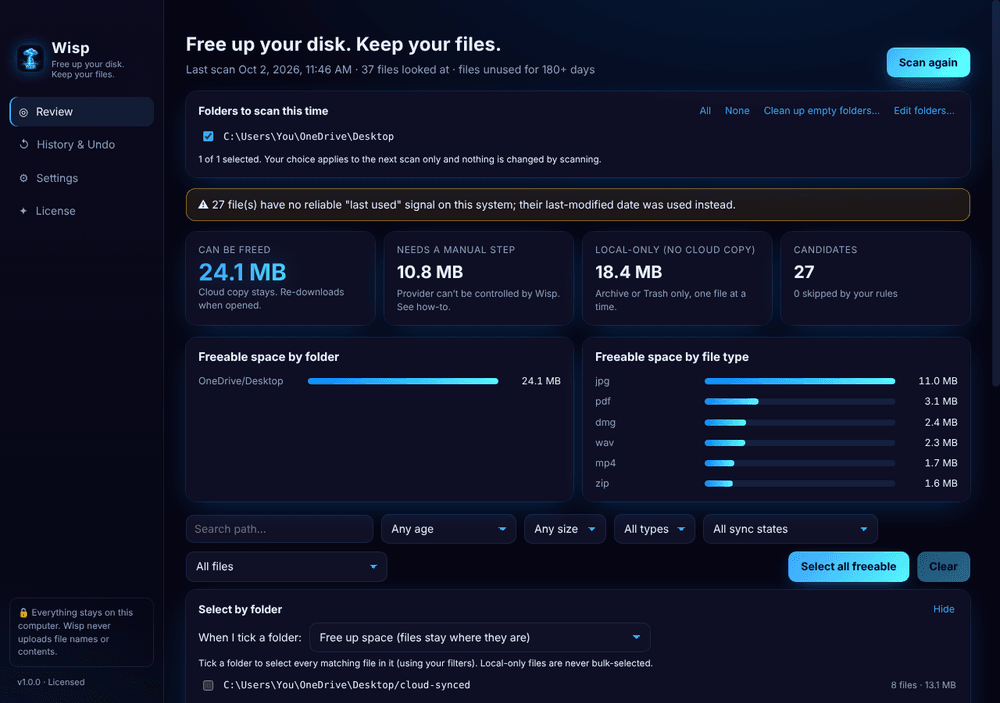
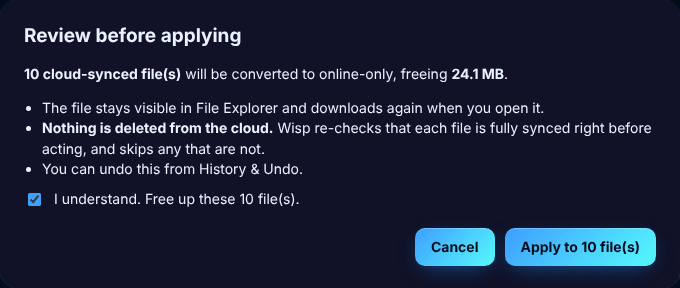
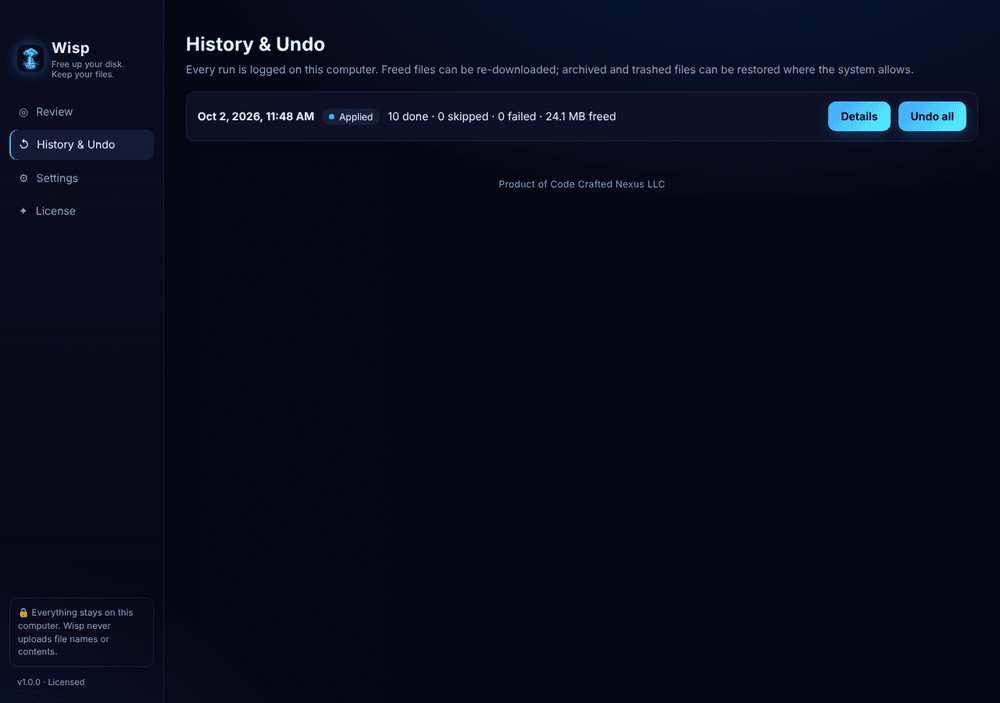
For fully synced files, Wisp removes only the local copy and leaves a placeholder. It never deletes anything from the cloud.
A full list with size, last-used date and sync status for every file. Review it, choose what to free, then press Apply.
Every run is recorded in History & Undo. Placeholders also re-download any time from your cloud app.
Scanning is fully on your computer. Wisp never uploads your file names or contents. No account, no telemetry.
Files with no cloud copy are never freed automatically. You can move them to an archive folder or the Trash / Recycle Bin, one file at a time, after confirming each one.
Clear out empty folders and shortcuts that point to programs or files that no longer exist.
Wisp never touches system folders, app bundles, .git folders, or any file changed in the last 30 days.
Set how long a file must be unused, exclude folders and file types, and turn on gentle reminders.
No. Wisp never deletes anything from the cloud. For files that are fully synced it only removes the local copy, leaving a placeholder that re-downloads when you open it. Before it touches a file it re-checks that the file is completely synced, and skips it if it isn't sure.
Wisp frees space automatically for OneDrive on Windows and iCloud Drive on Mac. Dropbox, Google Drive, and OneDrive on Mac are detected and listed, with simple instructions for freeing them in their own apps, because those providers don't let outside apps do it.
Wisp never frees those automatically, because there's no cloud copy to fall back on. You can choose to move them to an archive folder or the Trash / Recycle Bin, one file at a time, after confirming each one. Nothing is permanently deleted.
Those tools are great, and Wisp builds on the same system features. The difference is that they act per provider and mostly in the background, so you don't see a list of what will change. Wisp works on demand across the folders you choose, shows every file before anything happens, keeps a log you can undo, and lists local-only files separately so you can decide about them.
Scanning happens entirely on your computer, and your file names and contents are never sent anywhere. The app only contacts our license server to activate and re-check your license, plus an optional update check that you control; updates never install without your click.
It's a one-time purchase with no subscription. You get a license key by email that activates Wisp on one computer. Need to move it to a new computer? Contact support and we'll help.
Yes. Email us within 14 days of purchase for a full refund (see the Refund Policy). When a refund is issued, the license key for that purchase is deactivated and Wisp locks the next time it checks the license, within about 12 hours while online. Files you already freed stay as normal online-only placeholders.
Placeholders keep working like any online-only file. You can undo from History or re-download in your cloud app.